From comment to calendar: build a prioritised booking queue for LinkedIn & Instagram DMs

High-ticket social selling teams increasingly need a prioritised booking queue for social DMs. As buying signals move from email into comments, story replies and private messages, the advantage goes to teams that can capture intent, triage quickly and route the right conversations to the right seller with minimal friction. This article lays out a practical, compliant way to turn LinkedIn and Instagram interactions into a booked calendar, with the operational detail required to run it at scale.
Why a prioritised booking queue for social DMs belongs in your social selling ops
Most social selling motions are still “inbox-led”: a seller checks DMs between calls, replies in order of arrival, pastes a booking link, and hopes for the best. That model breaks down when:
- High-intent buyers ask for pricing or demos in public comments.
- Multiple stakeholders DM at once from the same account or company.
- Your content spikes and responses overwhelm a single inbox.
- Sellers with different territories, product lines or languages share a brand account.
- You need consistent SLAs, qualification and attribution into CRM.
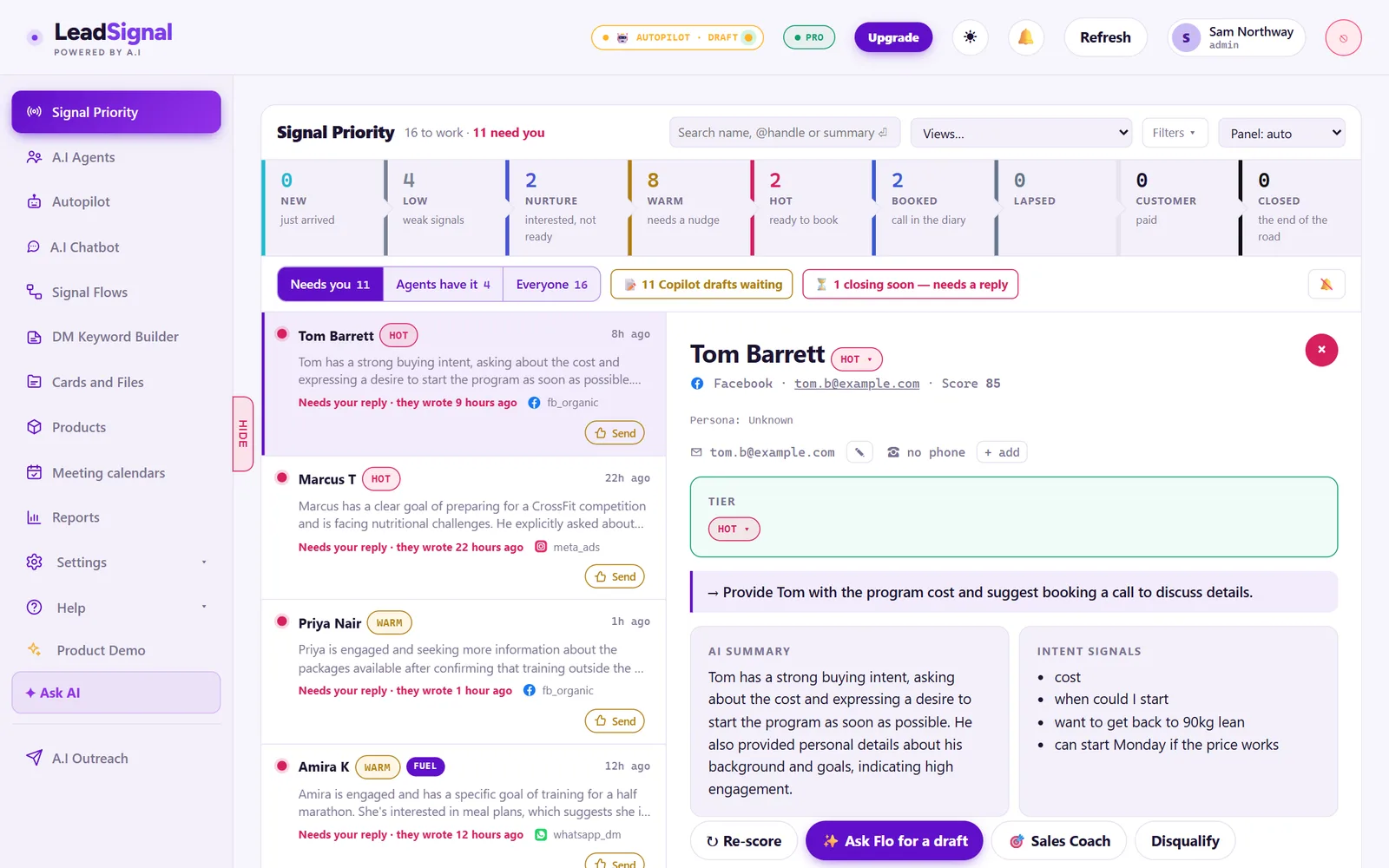
A prioritised booking queue changes the unit of work from “message” to “conversation with a booking objective”, ranked by likelihood of progressing to a high-quality meeting. Instead of just responding, your team:
- Captures all relevant entries (comments and DMs).
- Normalises people and companies into a single lead object.
- Scores intent and fit in real time.
- Routes to the right human or sends a safe auto-book prompt.
- Orchestrates booking with pooled or owned calendars.
- Syncs outcomes to CRM and measures performance.
For high-ticket teams, the win is not volume. It’s response quality and speed to the right buyers without wasting senior seller time. The queue lets you deploy scarce expertise where it matters most.
Map the path: from public comment to private DM and calendar
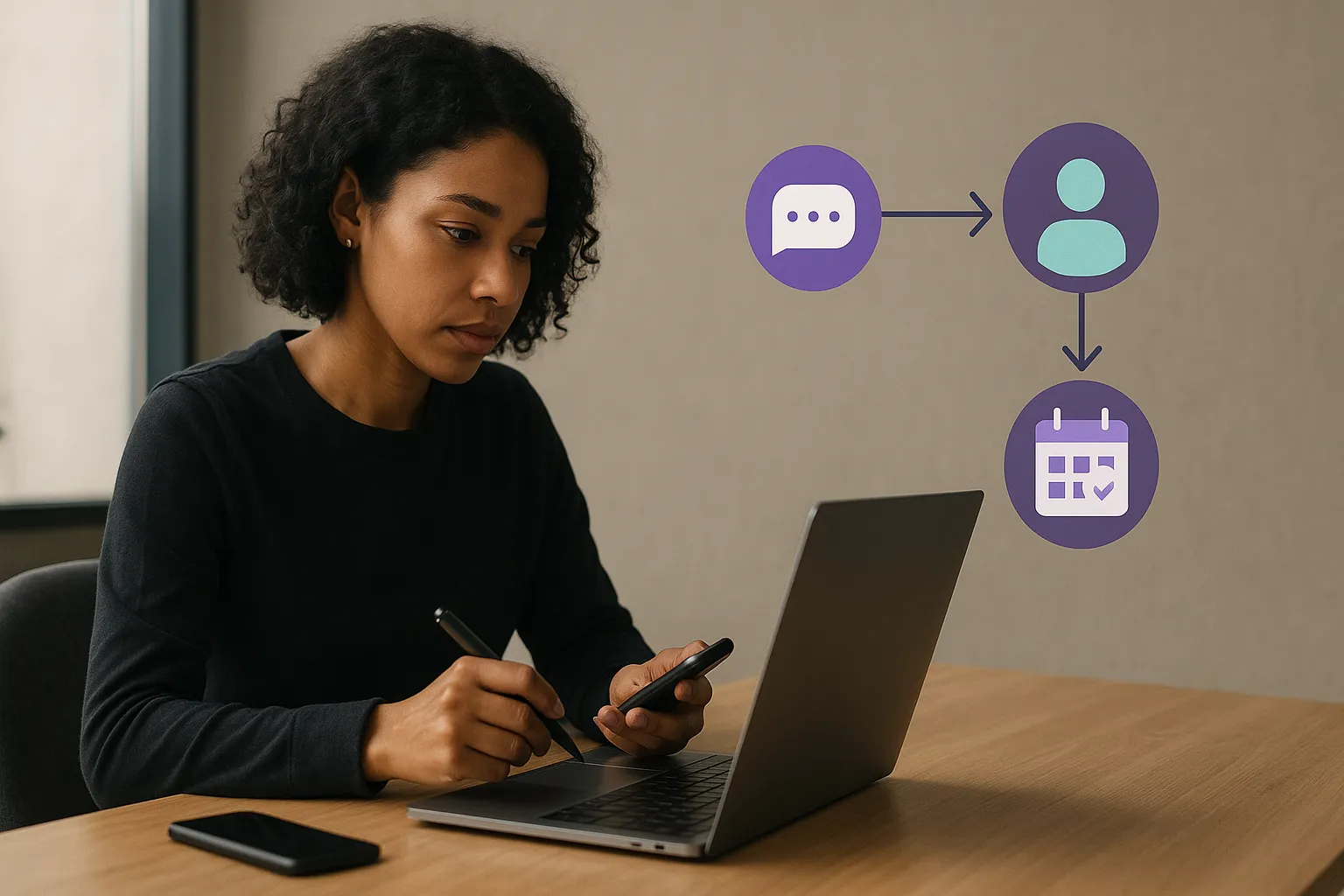
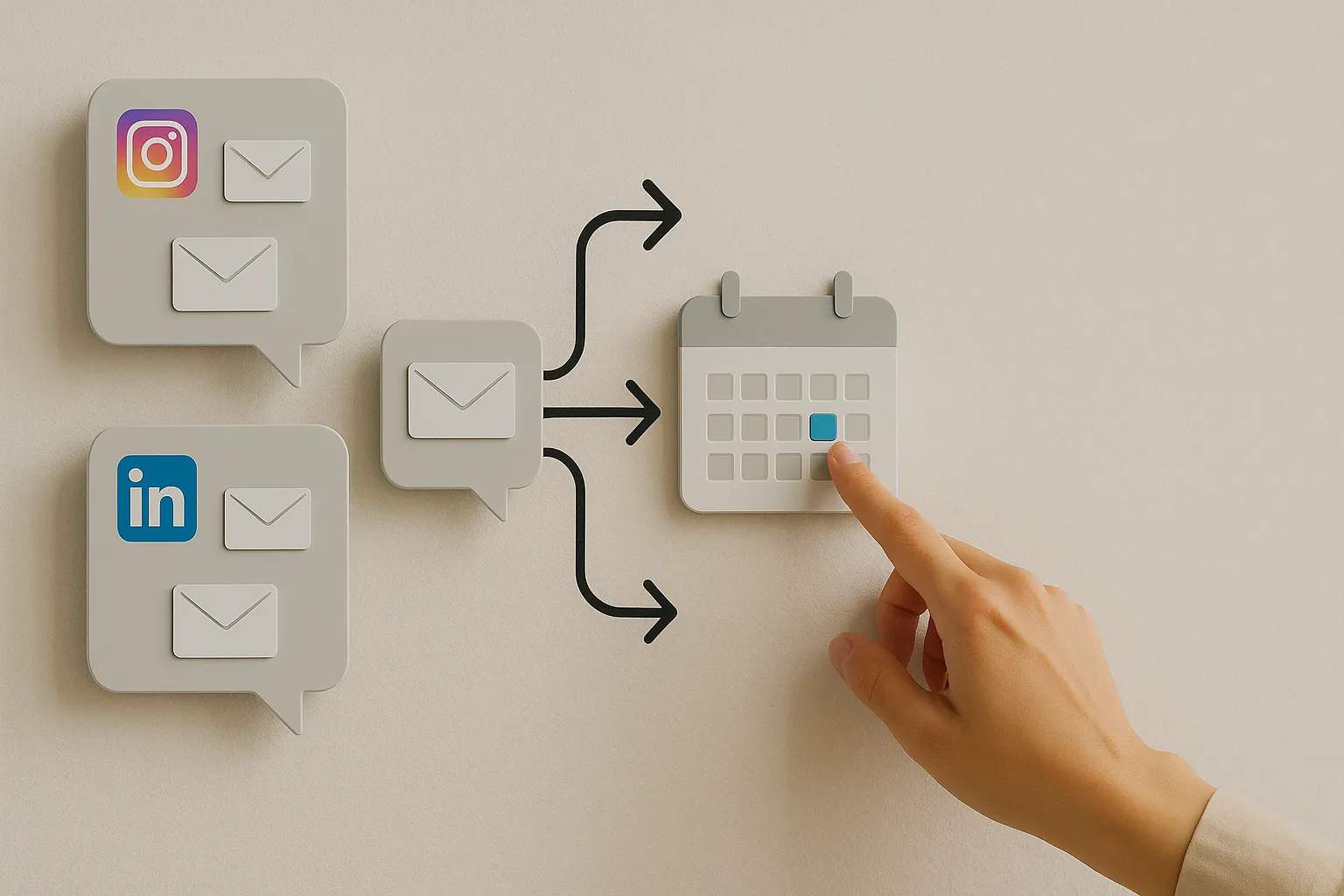
Before designing technology, map the actual entry points your audience uses on LinkedIn and Instagram and the constraints of each platform. You want a clear end-to-end path from first touch to calendar:
- Comment or mention on public content
- Private DM (initiated by you or them)
- Triage and qualification
- Booking prompt and calendar selection
- Confirmation, reminders and handoff
- CRM sync and follow-up
Platform-specific notes:
- Entry points:
- Comments on your LinkedIn Page posts (actionable via Page admin tools; API access is available through LinkedIn’s Marketing Developer Platform for approved use cases).
- Comments on personal profile posts (no public API; manage in-app).
- DMs to a Page (LinkedIn Pages Messaging is available in-product; API access is partner-gated).
- Connection requests and InMails to seller profiles (no public DM API; work within LinkedIn).
- Compliance:
- Avoid scraping or automating actions on personal profiles. Use native tools or approved partners for Pages.
- Always respect user messaging preferences and LinkedIn’s Professional Community Policies.
- Booking flow nuances:
- Some buyers prefer a warm comment reply followed by a DM invitation.
- If the DM starts from a post comment, reference the thread in your first message to maintain continuity and context.
- Entry points:
- DMs to your Professional account (supported via the Messenger API for Instagram with webhooks).
- Story replies and mentions (arrive as messages; can be subscribed via API).
- Comments on posts and reels (retrievable via the Instagram Graph API for Professional accounts you own).
- Compliance:
- You need a Professional Instagram account connected to a Facebook Page and an approved app for API access.
- Observe rate limits and consent rules; be transparent if automations send first responses.
- Booking flow nuances:
- Audiences often expect fast, friendly replies; short-form prompts work best.
- Link sharing is supported in DMs; use UTM-tagged booking links to track performance.
In both platforms, only automate what’s allowed. Build your queue around official inbox features and approved APIs. For sellers working from personal profiles on LinkedIn, your “queue” may be an operational layer and shared runbook rather than code.
Design the prioritised booking queue for social DMs
Think of the queue as a service with clear inputs, a set of states, prioritisation logic, and outputs to humans and calendars.
Core objects
- Conversation: a thread initiated by a comment, DM, mention or reply across channels. Aggregates messages, timestamps and channel metadata.
- Person: the human behind the handle, with identifiers (LinkedIn URL, Instagram handle), inferred email if shared, name, role and location.
- Account: the company, employer or brand, with industry, size and any ABM flags.
- Intent event: a discrete signal such as “asked about pricing”, “asked for demo”, “replied with availability”.
- Booking: the target outcome comprising meeting owner(s), time, medium and confirmation status.
States
- New: captured but not yet reviewed or responded.
- Triaged: scored and assigned a priority.
- Qualified: meets your high-ticket criteria.
- Routed: assigned to a seller or automation path.
- Booked: calendar invite confirmed.
- Nurture: not ready to book; next action set.
- Disqualified: not a fit.
- Spam: filtered out.
Prioritisation tiers
- P1 (urgent): explicit buying signals from ICP (e.g., “Can we see a demo this week?” from a Head of Operations at a target account). SLA: respond within 10–15 minutes during business hours.
- P2 (high): implicit intent and good fit (e.g., strong engagement pattern, role matches, but less explicit ask). SLA: within 1 hour.
- P3 (standard): general enquiries or weak fit. SLA: same business day.
- P4 (low): likely spam, job-seeking, student research. SLA: discretionary.
Ranking factors
- Intent strength: presence of trigger phrases and patterns (“pricing”, “budget”, “pilot”, “rollout”, “procurement”, “we’re evaluating”).
- Authority: seniority and role (economic buyer vs influencer).
- Fit: company size, industry, region and ABM tier.
- Recency: age of the last message/comment.
- Relationship: follower, connection degree, past conversations.
- Channel: DMs can outrank comments, or vice versa, per your policy.
- Campaign tags: known campaigns or creators tied to strategic initiatives.
- Urgency markers: requested timeframes (“this week”, “today”, “Q3”).
Routing modes
- Round-robin: fair distribution among qualified sellers to balance load.
- Territory-based: route by region, language, segment or vertical.
- Ownership-based: if a CRM owner exists for the account or person, route there.
- Specialist-based: route to a technical presales or product line expert when content or intent indicates a specific need.
Outputs
- Human task: assigned to a named seller or SDR with a due-by time.
- Automated prompt: pre-approved booking message sent if confidence is high and compliant.
- Booking: creation of a scheduling link or direct slot offer aligned to calendars and time zones.
- CRM updates: lead/contact/account creation or enrichment, plus activity logging with source attribution.
Design principle: fail safe. If in doubt about permissions, intent, or fit, route to a human with context rather than auto-booking.
Build the stack: inbox capture, identity resolution, CRM and calendar integration
A working queue needs plumbing across three layers: capture, decisioning and orchestration. You can assemble this with existing tools, custom middleware, or a mix.
Capture
- Instagram:
- Use the Messenger API for Instagram to subscribe to message, story reply and mention webhooks for your Professional account.
- Use the Instagram Graph API to fetch comments on media you own.
- Store message IDs, sender IDs, timestamps, message text and media references.
- LinkedIn:
- For LinkedIn Pages, use native admin tools to monitor comments and messages or approved APIs where available.
- For personal profiles and Sales Navigator inboxes, rely on in-app workflows and manual tagging; do not scrape.
- Offer sellers a lightweight form or shortcut to “add to queue” with a link to the conversation and a quick note.
Identity resolution
- Map platform IDs to a unified person record:
- LinkedIn public profile URL (if shared in the thread or already in CRM).
- Instagram handle and display name.
- Email address (only if consented or supplied during booking).
- Map to account:
- Company domain (once email is captured).
- Company name as stated on LinkedIn and Instagram bio.
- Deduplicate:
- Use an identity graph keyed on email or a combination of platform handle + name + company.
- Merge records cautiously; surface potential duplicates to humans before merging across platforms.
Decisioning
- Message classification:
- Rule-based: keyword and pattern libraries for pricing, demo, timeline, use cases, support, recruitment and spam.
- Model-assisted: if allowed by policy, use an NLP service to classify intent categories with confidence scores. Keep data minimised and comply with platform and privacy rules.
- Scoring:
- Fit score: role, company size, industry, geography; boost ABM targets.
- Intent score: strength of ask and recency.
- Engagement score: number of interactions across posts and stories.
- Priority assignment: combine scores into tiered priorities with thresholds and tie-breakers (e.g., recency).
Orchestration
- Tasking:
- Create tasks in your sales engagement or CRM tool with the conversation link, suggested reply, and SLA timebox.
- Notify via Slack/Teams with deep links and priority tags.
- Booking:
- Connect pooled calendars for SDRs or round-robin pools for AEs.
- Use booking tools that support:
- Pooled availability and round-robin assignment.
- Time-zone detection from the user’s device or stated location.
- Buffer times and no-overlap with existing holds.
- Custom questions and consent checkboxes.
- CRM:
- Create or update lead/contact and account records with:
- Source: LinkedIn/Instagram, post ID, campaign tag, UTM if known.
- Transcript snippet (last 2–3 messages) and link to the native thread.
- Priority tier and owner.
- Next action and due date.
- Log the booking outcome and meeting object with campaign attribution.
Security and privacy
- Store only the minimum necessary personal data.
- Respect data subject rights; provide deletion pathways upon request.
- Follow your organisation’s data retention policy for social messages.
Triage, scoring and routing rules for high-ticket conversations
High-ticket sales rely on fit and intent, not sheer count. Set your logic to surface the deals that merit senior attention and to automate only where risk is low.
Scoring examples (illustrative only; tune to your ICP)
Fit score (0–10)
- +4: Role matches buyer persona (e.g., VP Operations, Head of Revenue).
- +2: Company size in target band (e.g., 200–2,000 employees).
- +2: Industry matches go-to-market focus.
- +1: Geography within supported regions.
- +1: Existing ABM target or open opportunity in CRM.
Intent score (0–10)
- +5: Explicit demo/pricing/budget ask.
- +3: Mentions timeline (“this quarter”, “by end of month”).
- +2: Engaged across 3+ posts or replied to 2+ DMs within 48 hours.
- +1: Referral mention (“X said to contact you”).
Engagement risk modifiers
- −3: First message asks for a job or partnership unrelated to your product.
- −2: Generic compliment without question, no prior engagement.
- −2: Support request for an existing customer (route to CS).
Priority thresholds
- P1: Fit ≥6 and Intent ≥6; or Intent ≥8 regardless of Fit.
- P2: Fit ≥5 and Intent ≥4.
- P3: Others not flagged as Spam or Disqualified.
Routing suggestions
- If an existing opportunity owner is found in CRM, route to that owner regardless of round-robin fairness (continuity beats fairness in high-ticket deals).
- If the message is technical (mentions APIs, integrations, security), route to a solutions consultant queue after initial response.
- If the contact is an influencer (consultant, analyst) rather than a buyer, route to partnerships or marketing advocacy rather than sales.
Qualification prompts
Equip humans and automations with short, respectful prompts that collect essential context without turning DMs into forms:
- For explicit demo asks:
- Great to hear from you. What’s the main outcome you’re aiming for? I can share times for a 20-minute walkthrough this week.
- For ambiguous intent:
- Thanks for the comment. Are you exploring options for this quarter, or just gathering ideas for later?
- For multi-stakeholder threads:
- Who else should we include on the call to make it useful for you?
Avoid discussing detailed pricing in public comments; move to DM with a helpful, non-pushy tone. Always offer the option to chat asynchronously if the buyer is early-stage.
Booking without friction: links, round‑robin and human handoffs
The moment between intent and booked time is fragile. Design for speed without losing control.
Booking strategy
- Auto-book when:
- Priority is P1 and confidence in buyer fit is high.
- The message contains a clear ask for a demo or call this week.
- Platform rules allow sending links, and your brand tone supports a swift offer.
- Human-first when:
- Senior executives are involved and a tailored invite is better than a generic link.
- There’s complexity (multi-time-zone panel, multiple sellers).
- LinkedIn personal inboxes are in play; keep it conversational and personal.
Scheduling mechanics
- Pooled availability:
- Use a team booking link that round-robins across eligible sellers with fairness and load balancing.
- Apply ownership carve-outs: if an account owner exists, present only their availability.
- Time-zone handling:
- Detect time zone from device or ask “Which time zone are you in?” to avoid confusion.
- Offer a couple of specific time windows alongside a link: “I can do Tue 10:00 or Wed 15:30 your time—does either work?”
- Buffering and prep:
- Build 10–15 minute buffers into calendars for context-switching and notes.
- Attach the original DM snippet to the calendar invite so the seller arrives prepared.
No-show protection
- Confirmation:
- Send an immediate DM confirmation and an email confirmation if provided.
- Reminders:
- DM reminder 24 hours and 1 hour before; for LinkedIn, follow up manually if automations aren’t available.
- Rescheduling:
- Include a one-click reschedule link; track reschedule events as separate outcomes.
Accessibility and buyer experience
- Avoid forcing account creation for booking tools.
- Keep DM booking prompts short; follow with details after confirmation.
- Provide an alternative: “If it’s easier, drop two times that suit you and we’ll lock one in.”
Attribution
- Append UTM parameters to booking links tied to post ID, creator and campaign.
- When a human books manually, they should select the correct campaign/source in the calendar tool or CRM.
Operate, measure and govern: SLAs, compliance and continuous improvement
A queue is only as good as its operations. Define who does what, how fast, and how quality is maintained, then inspect and adapt.
Team roles
- Social SDRs:
- First responders for P1 and P2 inquiries.
- Operate inboxes during business hours; own the queue SLA.
- Qualify, send booking prompts, and hand off to AEs.
- AEs/Consultants:
- Handle P1/P2 meetings and complex back-and-forth.
- Provide input on scoring and playbooks.
- Marketing/Ops:
- Maintain tooling, scoring rules, and content tags.
- Report on KPIs and run experiments.
- Customer Success:
- Receive routed support queries and customer upsell signals.
SLAs
- Response time:
- P1: within 10–15 minutes during business hours; within 1 hour off-hours via on-call or clearly set expectations.
- P2: within 1 hour.
- P3: same business day.
- Follow-up cadence:
- If no reply to a booking prompt, follow up once after 24 hours, then move to nurture.
- Handoffs:
- From SDR to AE within 30 minutes of booking creation; AE acknowledges and reviews context.
Quality assurance
- Weekly sampling:
- Review a sample of P1 and P2 threads for tone, accuracy and outcomes.
- Playbook updates:
- Refresh message templates quarterly based on objections and common questions.
- Escalations:
- Define triggers that notify a manager (e.g., executive titles, strategic accounts).
KPIs to track
- Time to first response by priority and channel.
- Book rate: percentage of triaged conversations that result in a booked meeting.
- Show rate and reschedule rate.
- Cycle time: comment/DM to calendar time.
- Revenue outcomes linked to social-sourced meetings.
- Queue health: backlog size by priority, ageing items breaching SLA.
Compliance and platform governance
- Platform rules:
- Use only approved APIs and in-product features. Do not automate actions on personal LinkedIn profiles.
- Honour messaging frequency norms; avoid spammy templates.
- Privacy:
- Obtain consent before storing email addresses and personal data.
- Provide an easy opt-out in DMs: “If you’d prefer no further messages here, let me know.”
- Security:
- Limit admin access to inbox integrations and calendar pools.
- Log who changed routing rules or sent automated messages.
Runbooks for edge cases
- Multiple contacts from the same company:
- If one books, link other threads to the opportunity and share a summary reply.
- Support requests in sales inbox:
- Acknowledge, route to CS, and confirm handoff in the same thread.
- Spam and scams:
- Maintain a blocklist and spam classifier; never click unknown short links from new accounts.
- Language:
- Detect and route to native speakers; use approved multilingual templates where possible.
- Out-of-hours spikes:
- Set an automated “we’ve got your message” acknowledgement on Instagram; on LinkedIn, prep a status message in your Page bio with support hours.
Continuous improvement
- A/B test booking prompts (e.g., “share two times” vs. “here’s a link”) and measure book and show rates.
- Adjust scoring thresholds monthly based on observed conversion by tier.
- Use content tags to see which posts drive the most P1 inquiries; feed that back into content planning.
Putting it all together: a phased rollout plan
You don’t need to build a perfect, fully automated system on day one. Take a phased approach that de-risks compliance and proves value early.
Phase 1: Manual queue with clear rules
- Create a shared intake form or Slack channel where sellers drop links to high-intent comments and DMs, with quick labels (intent, role, account).
- Define P1/P2/P3 in a one-page playbook with SLAs and templates.
- Connect a pooled booking link for SDRs and a round-robin link for AEs.
- Start measuring response times and book rates.
Phase 2: Semi-automated capture and routing
- For Instagram:
- Enable webhooks for messages and comments.
- Auto-tag intent categories with a simple rules engine and assign priorities.
- Create tasks automatically in your CRM or task tool.
- For LinkedIn:
- Use Page admin tools to centralise comments and messages; create a quick-action in your workflow to add items to the queue.
- Implement Slack/Teams notifications with priority badges and deep links.
Phase 3: Intent scoring and selective auto-book
- Introduce model-assisted classification where allowed to increase accuracy.
- Enable an auto-book message for clear P1 cases on Instagram; limit volume and monitor closely.
- Calibrate round-robin rules with CRM ownership logic.
Phase 4: Full operationalisation
- Standard operating procedures for edge cases, escalations and after-hours coverage.
- Quarterly governance reviews on compliance, security and privacy.
- Dashboarding for exec visibility on pipeline sourced from social.
Risk mitigations throughout
- Keep a human in the loop for any action that can materially affect brand reputation.
- Run all automations in audit mode first (classify and suggest without sending) before going live.
- Maintain logs for every automated message with the source rule and approval state.
Practical tips that pay off
- Save and reuse context: include the original comment or DM quote in every internal task and calendar invite so there’s no hunting for context.
- Shorten the path to booking: in DMs, offer two concrete times plus a link. Buyers often pick without clicking.
- Respect channel norms: Instagram favours brevity and friendliness; LinkedIn tolerates a bit more detail and formality.
- Don’t over-qualify in DMs: it’s okay to book a short discovery call; keep deep discovery for the meeting.
- Make ownership clear: if you take a thread, add your initials in the internal note to avoid double responses.
Conclusion: move faster with a prioritised booking queue for social DMs
High-ticket social selling isn’t won with more replies; it’s won with the right reply, at the right time, to the right person—and a confirmed slot on the calendar. By mapping entry points, designing a clear set of states and priorities, building compliant capture and routing, and smoothing the booking moment, you’ll turn LinkedIn and Instagram activity into a dependable pipeline input. Start manual, prove your thresholds, and automate the obvious. The teams that operationalise a prioritised booking queue for social DMs will consistently get from comment to calendar before competitors even open the inbox.
The self-serve demo builds a workspace from your real setup — no card, no call.