Building a Prioritised DM Queue for Appointment Setters

Most DM inboxes are worked in the order messages arrive, which is the same as saying they are worked in a completely random order relative to which conversations are actually worth working first. A message from someone asking about price sits behind five messages saying "nice video" purely because those five happened to arrive earlier. A prioritised DM queue fixes this by ranking conversations by buying intent instead of arrival time, so a setter's first hour of the day is spent on the leads most likely to convert, not the leads that happened to message first.
This is one of the simplest changes an appointment-setting operation can make with an outsized effect on results, precisely because most teams have never questioned the default. Arrival order is not a deliberate choice most inboxes make; it is simply what happens when nobody builds anything different. Once you see it named as a choice, it becomes obvious how much it is costing on a busy day.
Why arrival order is the wrong default
Arrival order feels fair and is easy to build, which is why almost every inbox defaults to it. But fairness to messages is not the goal, converting the leads worth converting is, and a queue sorted by time treats a hot lead and a cold one identically. The busier an account gets, the more this costs, because a genuinely urgent conversation can sit for hours behind a backlog of low-intent messages with no signal to anyone that it is different.
What a prioritised queue actually ranks on
- Buying-intent signals in the conversation itself: price questions, timeline questions, explicit interest in booking.
- How the conversation started, since a lead who commented a specific keyword or asked a direct question typically carries more intent than a general opener.
- Time already elapsed without a reply, so a hot lead does not get buried simply because the queue has grown since it arrived.
- Where the conversation is in the funnel, since a lead already qualifying for a call needs faster attention than one still at the very first message.
- Client and campaign priority for agencies running several accounts, since not every client's conversations should compete equally for the same setter's next available minute.
Why a static rule set is not enough
It is tempting to build prioritisation as a fixed rule, "anyone who mentions price goes first", and stop there. In practice, buying intent is rarely that binary. A lead who asks about price early in a casual, exploratory way carries different intent to one who asks about price after several qualifying exchanges have already confirmed fit and timeline. A queue that scores conversations continuously, rather than applying a single static rule at the moment a keyword appears, captures this distinction, and a queue that does not will misrank a meaningful share of conversations either way.
Setting this up without over-engineering it
1. Score before you queue
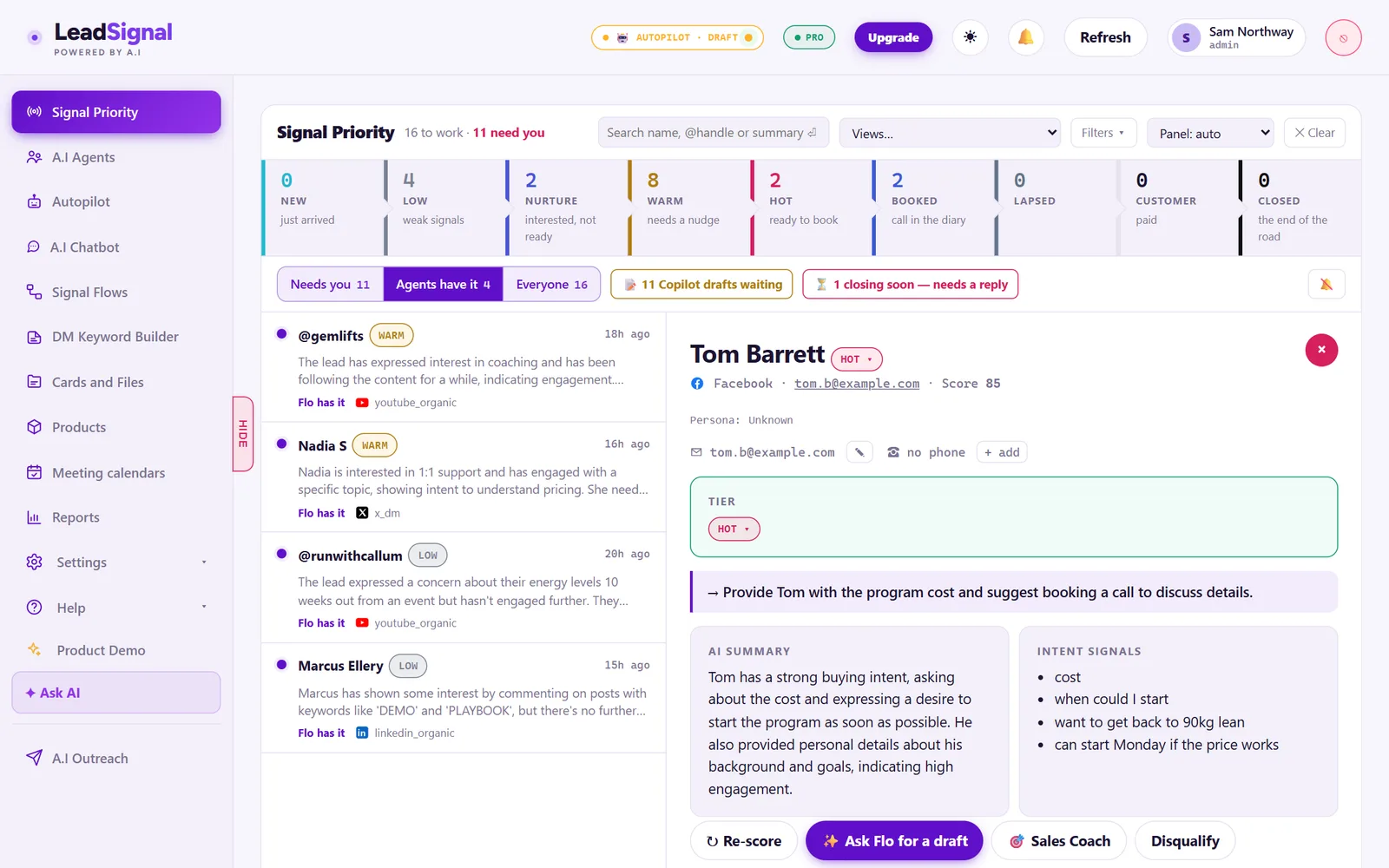
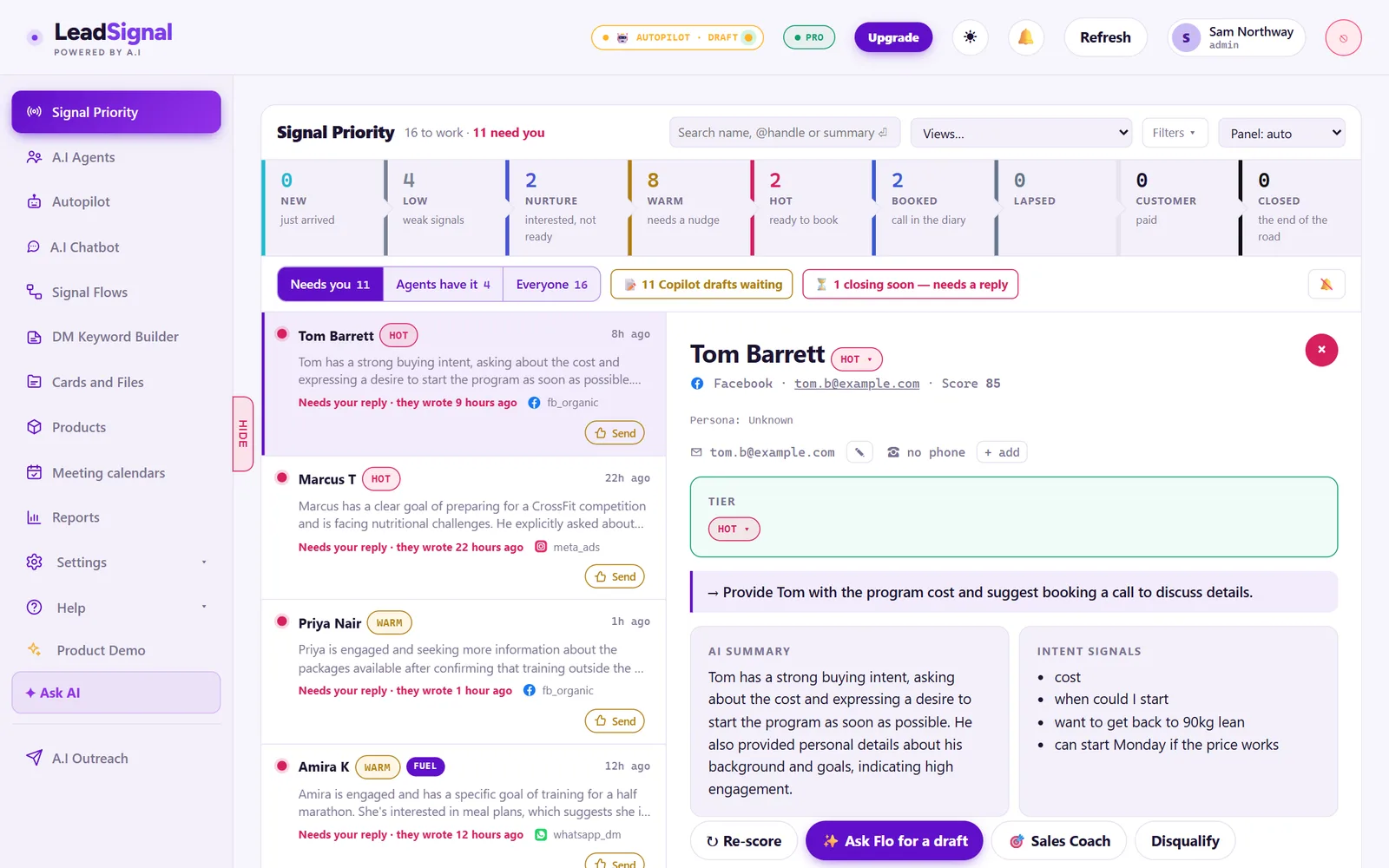
Prioritisation only works if every conversation is scored consistently as it comes in. This is where AI Autopilot's lead scoring does the heavy lifting: reading the conversation and ranking it, so the queue reflects buying intent automatically rather than a setter's gut feel about who to answer first. Manually scoring every conversation as it arrives simply does not scale past a handful of leads a day, which is exactly why most inboxes default to arrival order in the first place: it is the only ranking that requires no ongoing effort to maintain.
2. Make the queue visible, not just theoretical
A prioritisation system that only exists as a policy, "answer the important ones first", relies on judgement calls a busy setter will not always have time to make. The queue itself needs to physically show conversations in ranked order, so the right conversation is simply the one at the top.
3. Route by capacity, not just by ranking
If one setter's queue has more hot leads than they can work in a shift, the system needs a way to route the overflow to someone else, rather than leaving high-intent conversations unanswered because the person assigned to them is at capacity. A perfectly ranked queue that nobody has time to work through still loses the leads at the bottom, so ranking and capacity have to be solved together, not treated as separate problems.
4. Review the queue's actual output, not just its logic
A prioritisation system can look correct on paper and still misfire in practice, if the scoring criteria drift out of step with how your specific audience actually expresses interest. Periodically checking a sample of top-ranked conversations against what a human would judge as genuinely hot catches this drift before it quietly degrades the whole system's usefulness.
What this looks like for an agency managing several accounts
The same principle scales across client accounts: instead of a separate, informally-managed inbox per client, a shared, scored queue means the busiest hour across all accounts still gets worked in the right order, and no single client's hottest lead is quietly deprioritised because a setter happened to be focused on a different account that hour. This connects directly to the coverage structure covered in from comment to calendar: build a prioritised booking queue for LinkedIn and Instagram DMs.
Measuring whether prioritisation is actually working
Track time-to-first-reply specifically for high-intent conversations, separate from your overall average. If your highest-intent leads are not being answered meaningfully faster than everything else, the queue is not actually prioritising, whatever the dashboard says.
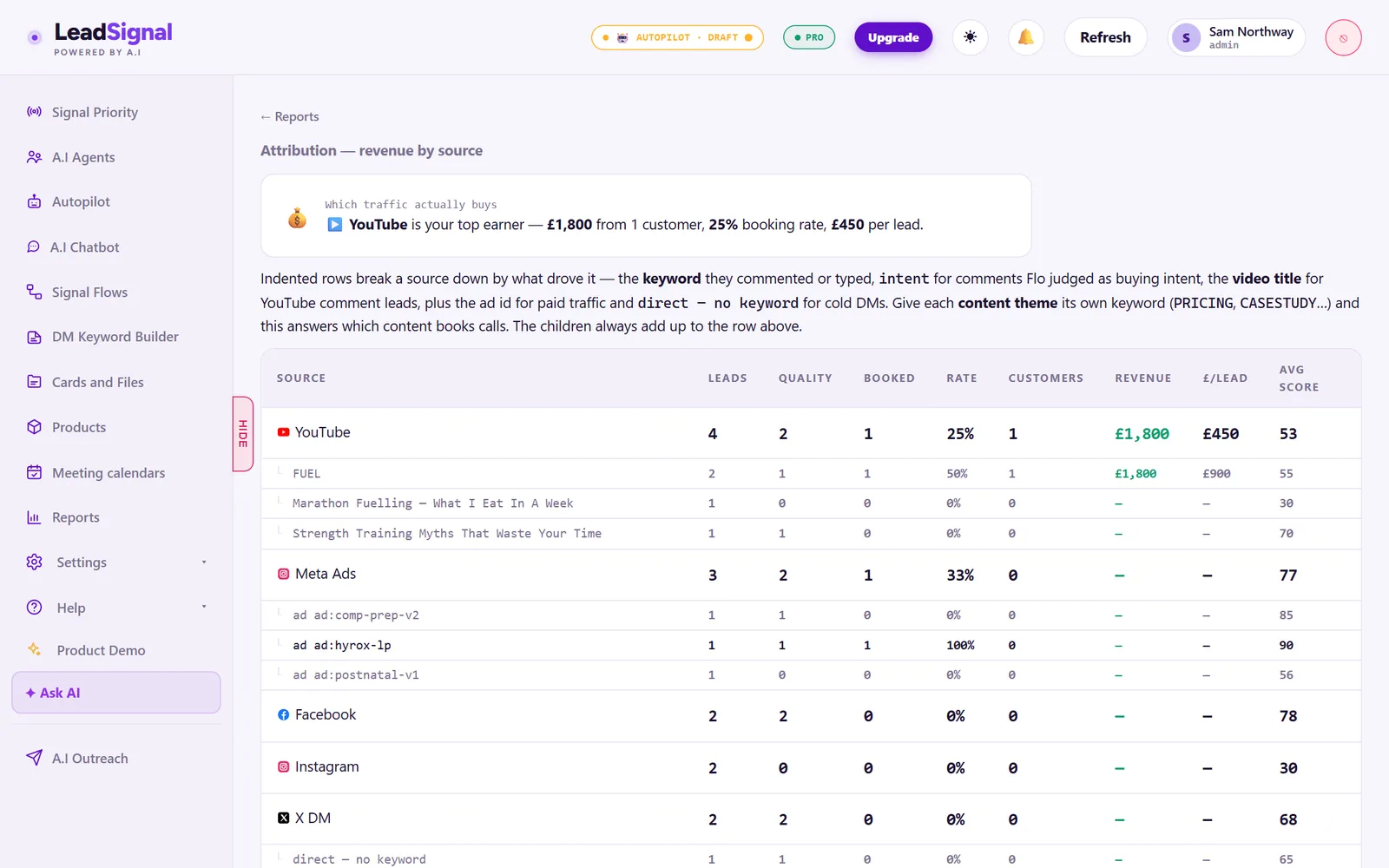
It is easy for a queue to look like it is prioritising, showing conversations in ranked order, without that ranking actually translating into different treatment. Setters under time pressure can still default to working top-to-bottom by habit or working whichever conversation is easiest to reply to, rather than genuinely respecting the ranking. Measuring the outcome, not just checking the queue's logic exists, is what confirms the system is actually changing behaviour rather than just changing what the screen displays.
What changes once a team trusts the queue
The biggest shift is psychological as much as operational. Once a setter genuinely trusts that the top of the queue is the right conversation to work next, decision fatigue drops considerably: there is no longer a judgement call to make about where to start, just a queue to work through in order. That trust takes time to build, and it depends on the scoring being visibly, consistently right often enough that ignoring it never feels like the smarter option.
This is also where a manager's role shifts, from personally deciding who gets worked first to reviewing whether the system's ranking is holding up over time. That is a considerably lighter, more sustainable job than manually triaging every account's inbox every day, and it scales far better as the number of conversations, or the number of client accounts, grows.
LeadSignal builds this scoring and queue automatically as part of its core DM product, so a prioritised queue does not need a manual rule set maintained by hand.
FAQ
What is a prioritised DM queue?
A queue that ranks conversations by buying intent and urgency rather than by when the message arrived, so setters work the leads most likely to convert first instead of working strictly in arrival order. It replaces a default nobody chose deliberately with a ranking built on actual signals in the conversation.
How do you decide which conversations count as high intent?
By reading signals in the conversation itself, such as price and timeline questions, and how the lead entered the conversation, such as a specific buying-intent keyword, rather than treating every message the same regardless of content.
Does prioritisation work across multiple client accounts at once?
Yes, when scoring is applied consistently across accounts, a shared queue can rank the hottest conversation across every client the same hour, rather than treating each account's inbox as an isolated silo, so the busiest moment across a whole agency's book of clients is still worked in the right order.
The self-serve demo builds a workspace from your real setup — no card, no call.